from plotnine import ggplot, aes, geom_point, geom_smooth, labs, theme_matplotlib, theme_set
from plotnine.data import mpg
theme_set(theme_matplotlib())
A smoothed conditional mean
geom_smooth(
    mapping=None,
    data=None,
    *,
    stat="smooth",
    position="identity",
    na_rm=False,
    inherit_aes=True,
    show_legend=None,
    raster=False,
    legend_fill_ratio=0.5,
    **kwargs
)
Parameters
mapping : aes = None-
Aesthetic mappings created with aes. If specified and
inherit_aes=True, it is combined with the default mapping for the plot. You must supply mapping if there is no plot mapping.Aesthetic Default value x y alpha 0.4color 'black'fill '#999999'group linetype 'solid'size 1ymax Noneymin NoneThe bold aesthetics are required.
data : DataFrame = None-
The data to be displayed in this layer. If
None, the data from from theggplot()call is used. If specified, it overrides the data from theggplot()call. stat : str | stat = "smooth"-
The statistical transformation to use on the data for this layer. If it is a string, it must be the registered and known to Plotnine.
position : str | position = "identity"-
Position adjustment. If it is a string, it must be registered and known to Plotnine.
na_rm : bool = False-
If
False, removes missing values with a warning. IfTruesilently removes missing values. inherit_aes : bool = True-
If
False, overrides the default aesthetics. show_legend : bool | dict = None-
Whether this layer should be included in the legends.
Nonethe default, includes any aesthetics that are mapped. If abool,Falsenever includes andTruealways includes. Adictcan be used to exclude specific aesthetis of the layer from showing in the legend. e.gshow_legend={'color': False}, any other aesthetic are included by default. raster : bool = False-
If
True, draw onto this layer a raster (bitmap) object even ifthe final image is in vector format. legend_fill_ratio : float = 0.5-
How much (vertically) of the legend box should be filled by the color that indicates the confidence intervals. Should be in the range [0, 1].
**kwargs : Any-
Aesthetics or parameters used by the
stat.
See Also
stat_smooth-
The default
statfor thisgeom.
Examples
Smoothed conditional means
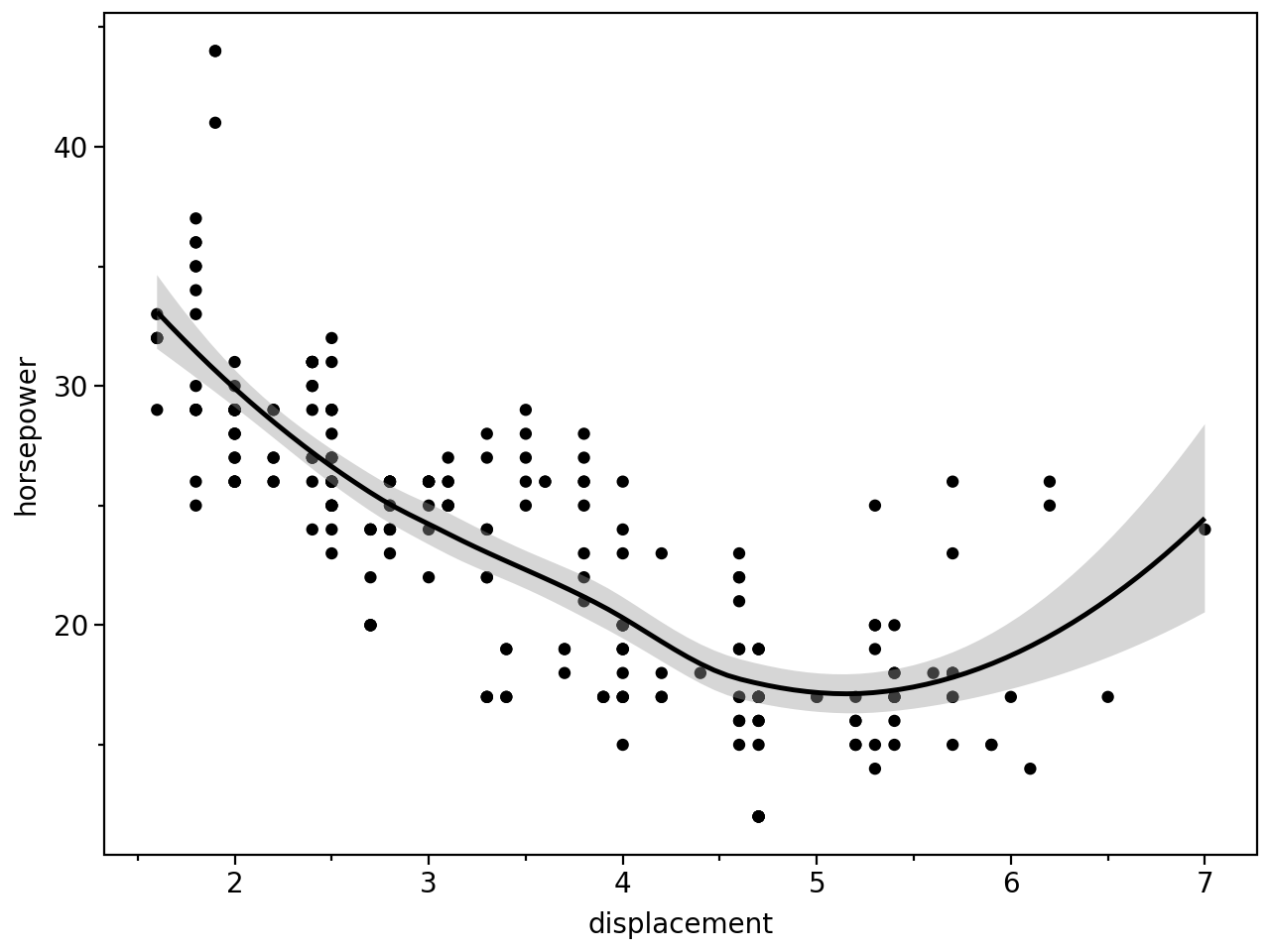
Aids the eye in seeing patterns in the presence of overplotting.
mpg.head()| manufacturer | model | displ | year | cyl | trans | drv | cty | hwy | fl | class | |
|---|---|---|---|---|---|---|---|---|---|---|---|
| 0 | audi | a4 | 1.8 | 1999 | 4 | auto(l5) | f | 18 | 29 | p | compact |
| 1 | audi | a4 | 1.8 | 1999 | 4 | manual(m5) | f | 21 | 29 | p | compact |
| 2 | audi | a4 | 2.0 | 2008 | 4 | manual(m6) | f | 20 | 31 | p | compact |
| 3 | audi | a4 | 2.0 | 2008 | 4 | auto(av) | f | 21 | 30 | p | compact |
| 4 | audi | a4 | 2.8 | 1999 | 6 | auto(l5) | f | 16 | 26 | p | compact |
(
    ggplot(mpg, aes(x="displ", y="hwy"))
    + geom_point()
    + geom_smooth()
    + labs(x="displacement", y="horsepower")
)
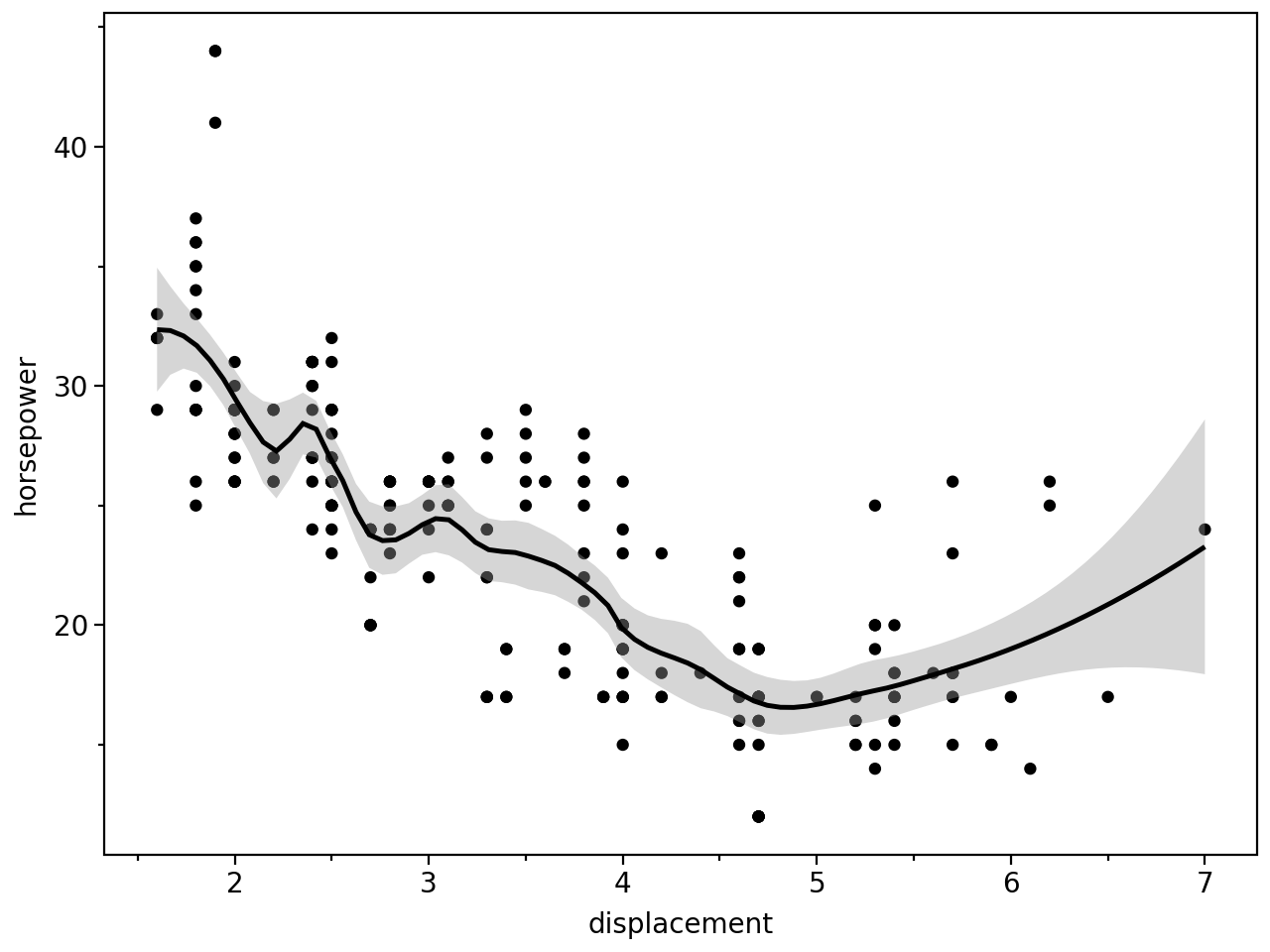
Use span to control the “wiggliness” of the default loess smoother. The span is the fraction of points used to fit each local regression: small numbers make a wigglier curve, larger numbers make a smoother curve.
(
    ggplot(mpg, aes(x="displ", y="hwy"))
    + geom_point()
    + geom_smooth(span=0.3)
    + labs(x="displacement", y="horsepower")
)
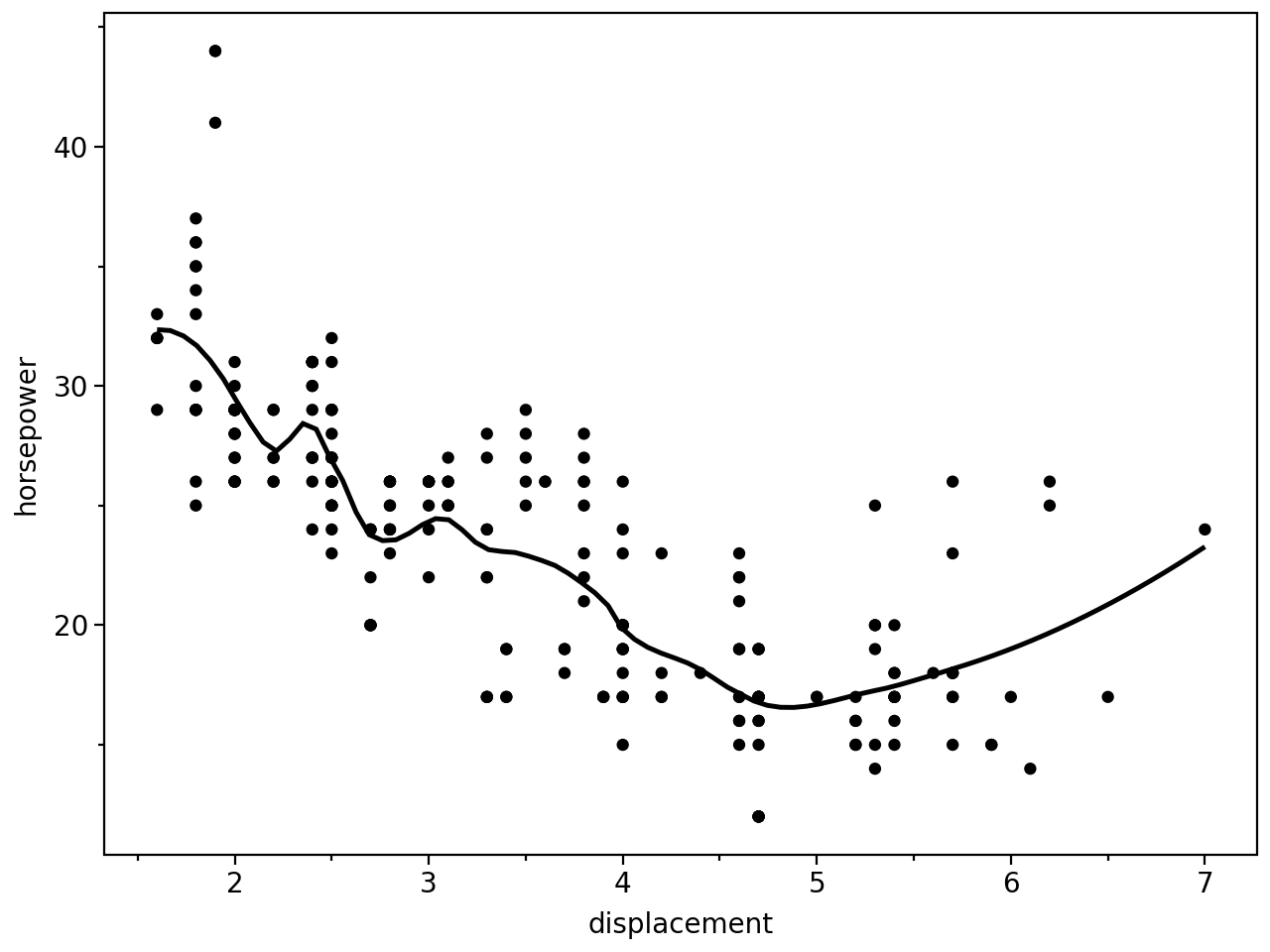
You can remove confidence interval around smooth with se=False:
(
    ggplot(mpg, aes(x="displ", y="hwy"))
    + geom_point()
    + geom_smooth(span=0.3, se=False)
    + labs(x="displacement", y="horsepower")
)
Instead of a loess smooth, you can use any other modelling function:
(
    ggplot(mpg, aes(x="displ", y="hwy"))
    + geom_point()
    + geom_smooth(method="lm")
    + labs(x="displacement", y="horsepower")
)
Points & Linear Models
# Gallery, points

(
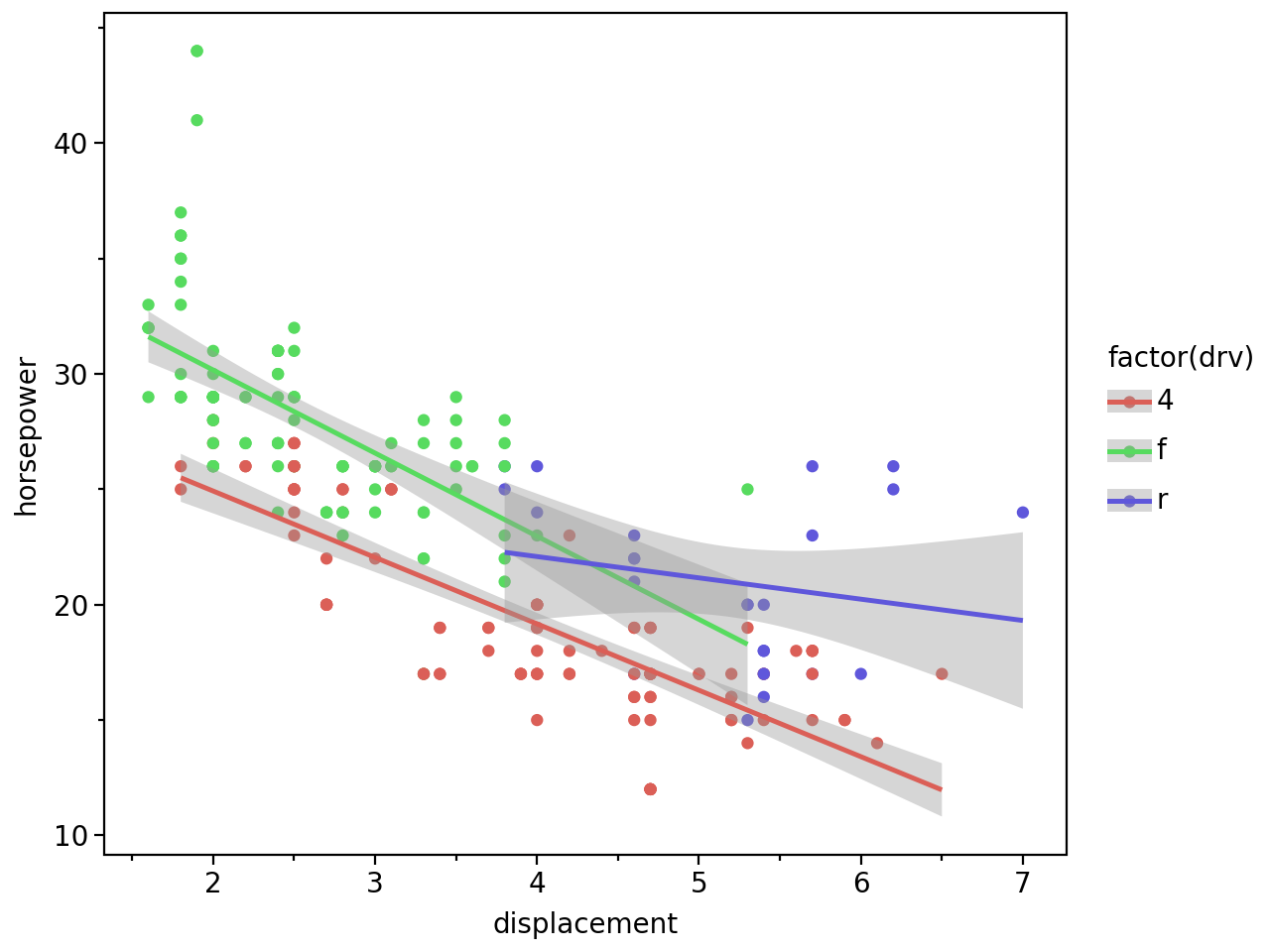
    ggplot(mpg, aes(x="displ", y="hwy", color="factor(drv)"))
    + geom_point()
    + geom_smooth(method="lm")
    + labs(x="displacement", y="horsepower")
)